01
Your key card tap is the booking
Turnstile and access-control events stream into Jibbie the moment someone enters the building, so the system knows who is actually on site rather than who intended to be.
Nobody opens an app to reserve a desk.
Hybrid working replaced the commute question with a dozen small ones. Jibbie's AI desk booking system reads key card taps and calendars, then assigns each person a desk beside the people they are working with that day — no reservation, no floor map, no choice fatigue.
How the AI allocates desks
An automated pipeline runs behind every office day: signals in, proximity scoring, desk assigned.
Turnstile and access-control events stream into Jibbie the moment someone enters the building, so the system knows who is actually on site rather than who intended to be.
Nobody opens an app to reserve a desk.
Every free desk is scored against today's calendar: who you are meeting, which teammates have already tapped in, and which zone your team is anchored to. The highest-scoring desk is assigned.
Nobody compares floor maps at 9AM.
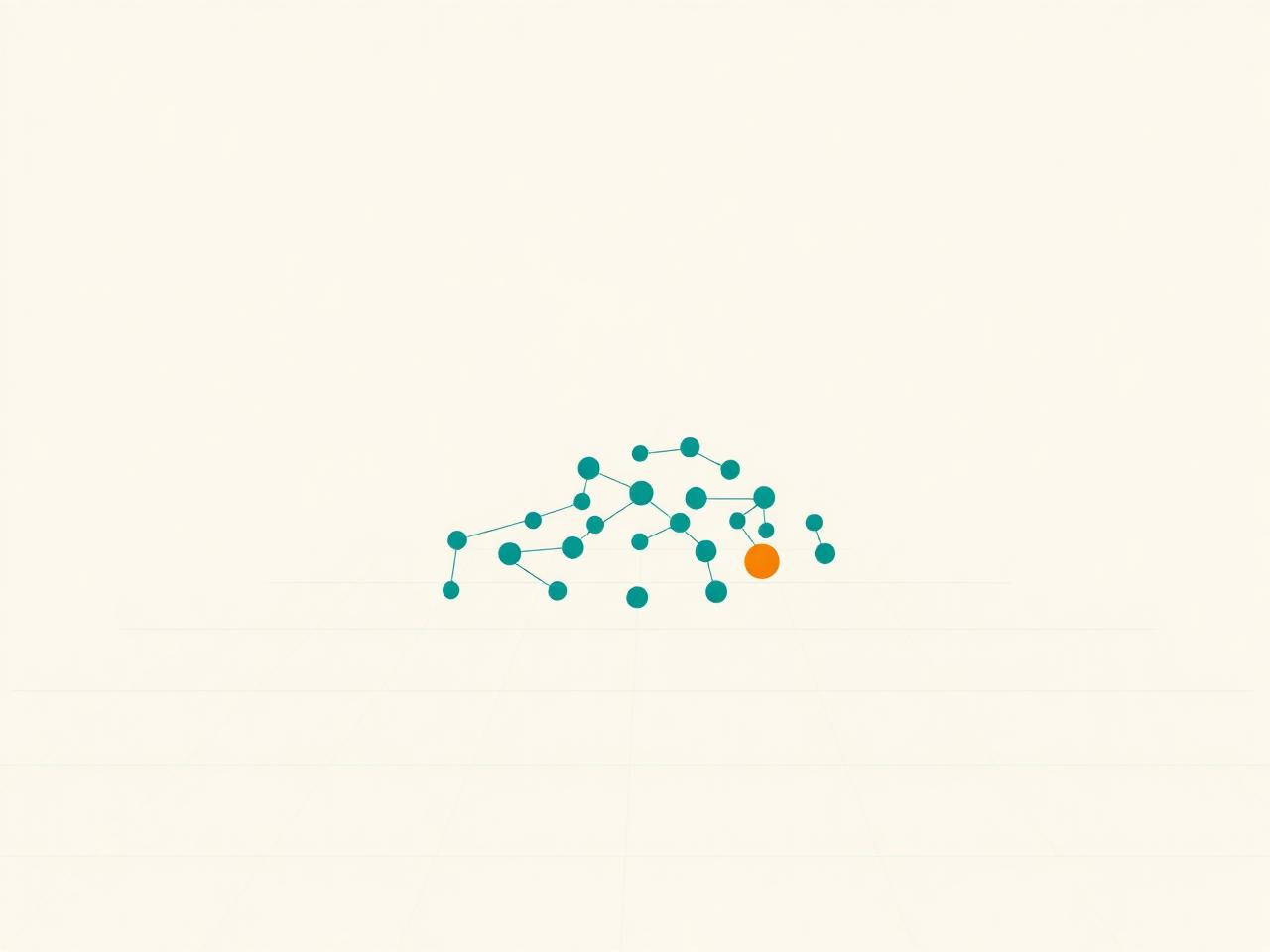
The allocation lands on the employee's floor plan with a one-tap swap if the desk does not suit, which also dispatches facilities when a desk is faulty.
Nobody raises a ticket and chases it.

What you stop deciding
Traditional hot-desking tools hand employees a map and a reservation deadline. Jibbie's allocation AI removes both and still guarantees a seat that makes sense.
Desk booking apps
Automated by Jibbie
Zero desk decisions per employee, per office day.
Because allocation is automatic, seating adapts daily instead of being frozen into a static plan. Teams sit together on collaboration days and spread out when the floor is busy, and every assignment feeds occupancy analytics you can take into a lease review.
Talk to us
Tell us how your offices work today and we will show you what zero-decision seating looks like on your floor plan — including the utilisation numbers you would be able to report on in week one.
Prefer email?
hello@jibbie.co.ukEvery enquiry lands with our team and we reply within one business day.